How to Fix MB WhatsApp Ban Issue: The Ultimate 2026 Guide
Hey there! If you’re reading this, chances are your MB WhatsApp APK account has hit a snag, and you’re staring at that dreaded “Your phone number is banned” message or a temporary ban timer. Don’t panic you’re not alone. Thousands of users face this every month, especially with modified apps like MB WhatsApp. In this detailed guide, I’ll walk you through everything you need to know about MB WhatsApp bans, why they happen, and most importantly, practical steps to fix them in 2026.
We’ll cover causes, types of bans, step-by-step fixes, prevention strategies, and even alternatives if things get tricky. By the end, you’ll have a clear plan to get back online or avoid bans altogether. Let’s dive in!
What Exactly is MB WhatsApp?
MB WhatsApp is a popular modified (mod) version of the official WhatsApp app. It offers features that the standard app doesn’t, like advanced privacy controls, custom themes, hiding online status, viewing deleted messages, sending larger files, scheduling messages, and more. Many users love it for the extra customization and freedom it provides on Android devices.
However, MB WhatsApp is not developed or supported by Meta (WhatsApp’s parent company). It’s a third-party app, which means it violates WhatsApp’s official terms of service. That’s the root of most ban issues.
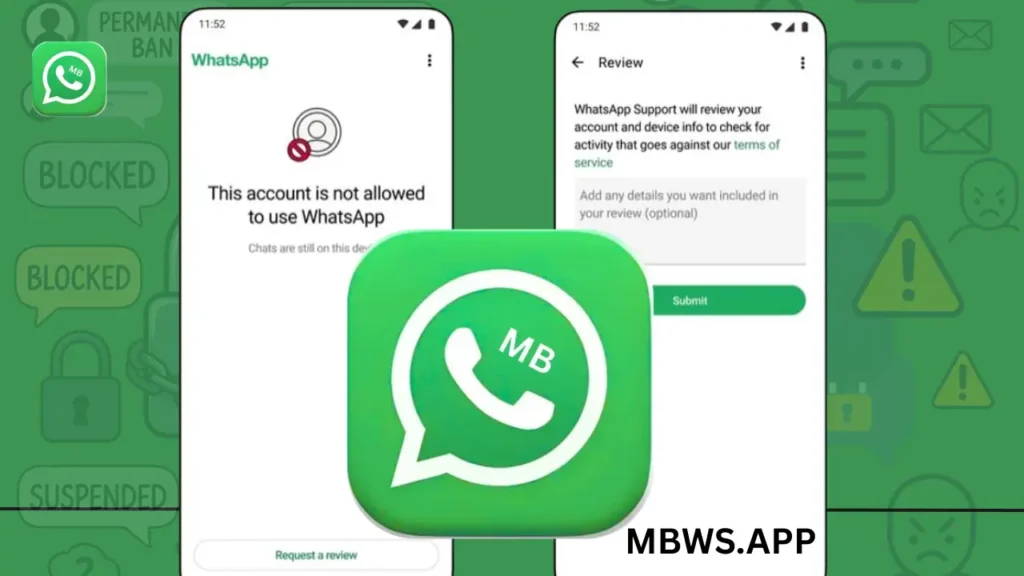
These screenshots show typical WhatsApp interfaces imagine MB WhatsApp with extra options like theme stores, privacy tweaks, and anti-ban toggles.
Why Does WhatsApp Ban MB WhatsApp Users?
WhatsApp’s primary goal is security, privacy, and fair usage. Modified apps like MB WhatsApp can bypass restrictions, potentially exposing users to risks like data leaks or spam. WhatsApp detects these apps through server checks on how your account behaves—things like unusual login patterns, modified client signatures, or excessive activity.
Common triggers include:
- Using an outdated version without updated anti-ban protection.
- Sending bulk messages, forwards, or promotions to non-contacts.
- Getting reported by other users for spam.
- Automated behaviors that look like bots or scraping.
In 2026, WhatsApp has ramped up detection, making bans more frequent for mod users. Temporary bans often hit first as a warning, but repeated issues can lead to permanent ones.
Types of WhatsApp Bans You Might Encounter
- Temporary Ban: The most common for MB WhatsApp users. You see a countdown timer (usually 24-72 hours) and can’t send messages. The app says something like “You’re temporarily banned” or shows a timer.
This example shows a temporary ban screen with a countdown—very familiar to mod users.
- Permanent Ban: More serious. The message reads “This phone number is banned from using WhatsApp” or “This account cannot use WhatsApp.” No timer, no access, and chats may still be on your device but unusable.
These are classic permanent ban notifications. If you see these, action is needed fast.
How to Know If Your Account is Banned
- Can’t connect or send messages.
- Error messages during verification.
- In-app notifications about violations.
- Friends can’t see your profile picture or status updates.
If you’re unsure, try logging into the official WhatsApp app with the same number—if it works there, the ban is likely tied to the mod version.
Step-by-Step: How to Fix a Temporary MB WhatsApp Ban
Temporary bans are usually the easiest to resolve. Here’s what works best in 2026:
- Wait It Out
If there’s a timer, simply wait. Don’t try logging in repeatedly this can extend the ban. Use the time to back up chats if possible. - Switch to Official WhatsApp
- Uninstall MB WhatsApp completely (back up chats first via Settings > Chats > Backup).
- Download the official WhatsApp from Google Play Store.
- Verify your number.
- Once logged in, the temporary ban often lifts automatically.
This step is crucial because WhatsApp requires you to stop using unofficial apps.
- Update to the Latest MB WhatsApp Version (If You Want to Return)
Many latest versions include improved anti-ban features. After the ban expires:
- Download the newest MB WhatsApp APK from a trusted source.
- Install and log in carefully.
- Enable any anti-ban options in settings.
Note: No mod is 100% ban-proof, but updates help a lot.
- Clear Cache and Data
Before reinstalling, go to phone Settings > Apps > MB WhatsApp > Storage > Clear Cache/Data. This removes old detection flags.
Most users recover from temporary bans within a few days by following these steps.
How to Fix a Permanent MB WhatsApp Ban
Permanent bans are tougher, but not always hopeless:
- Install Official WhatsApp and Request a Review
- Uninstall MB WhatsApp.
- Install official WhatsApp.
- Try verifying your number.
- When you see the ban message, look for the “Request a Review” button. Tap it, add details if prompted (be polite and explain it might be a mistake), and submit.
These show the “Request a Review” option use it immediately!
- Appeal Through Support
If no button appears, contact WhatsApp support via the app (Help > Contact Us) or official channels. Explain your situation calmly, provide your number, and mention you switched to the official app. Avoid admitting to using mods focus on “accidental violation” or “error.” - Use a New Number (Last Resort)
If appeals fail, register a new number. Transfer chats via backup if possible. This is common for repeated mod users.
Success rates vary genuine appeals (no spam history) often work better.
Appealing a Ban Officially: Tips for Success in 2026
- Be polite and concise.
- Mention you’ve stopped any suspicious activity and are using the official app.
- Submit screenshots if asked.
- Wait patiently reviews can take days to weeks.
- Don’t spam appeals; one good one is better.
Prevention Tips: How to Avoid Future MB WhatsApp Bans
The best fix is prevention:
- Always use the latest version with anti-ban updates.
- Avoid bulk messaging or adding too many unknown contacts.
- Don’t forward chains or spam groups.
- Download from trusted sources only.
- Limit aggressive privacy changes or mass status views.
- Back up regularly so you’re not losing data if banned.
- Consider using mods sparingly or switching to official for important accounts.
If you follow these, many users go months without issues.
Better Alternatives to MB WhatsApp
If bans keep happening, try these:
- Official WhatsApp: Safest, reliable, with end-to-end encryption.
- WhatsApp Business: For more features legally.
- Other mods like GB WhatsApp or YO WhatsApp Similar risks, but some claim better anti-ban in 2026.
- Signal or Telegram Privacy-focused alternatives without ban worries.
Frequently Asked Questions About MB WhatsApp Bans
How long do temporary bans last?
Usually 24-72 hours, but can vary.
Can I use MB WhatsApp after a permanent ban?
Rarely on the same number. Switch numbers or appeal successfully first.
Is there a 100% anti-ban mod?
No WhatsApp always improves detection, so even “anti-ban” versions carry risk.
Will my chats be lost?
No, if backed up. Restore after login.
Why do bans happen more in 2026?
Stricter policy enforcement against mods and spam.
Final Thoughts
Dealing with an MB WhatsApp ban can be frustrating, but most cases are fixable with patience and the right steps. The key takeaway? WhatsApp prioritizes security, so mods come with risks. If you love the extra features, stay updated and use responsibly. If reliability matters more, official WhatsApp is unbeatable.
Have you fixed a ban recently? Share your experience in the comments I’d love to hear what worked for you. Stay safe and happy chatting!